41 private links
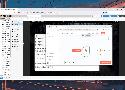
Terraform and Ansible may be the most popular automation tools in the home lab landscape, but they are far from the only options for server enthusiasts and self-hosting maestros. While it’s typically associated with professional workflow automations, n8n pairs just as well with casual home servers. If that sounds intriguing, here are four cool ways you can integrate n8n into your home lab.


These are the ideal ways to host your Docker container online.

MySQL LibreNMS
MySQL Overview provided by LibreNMS, read via Graphite and displayed via Grafana!

SSH port forwarding, sometimes referred to as SSH tunneling, is a method for safely transmitting data over an encrypted SSH connection between a local and distant server. It allows users to securely connect to resources or services that firewalls could otherwise prevent or restrict.
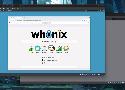
Unleash the full potential of your virtual machines by pairing them with these amazing operating systems

Any real Linux pro should know these 15 useless commands!

Android without Google
/e/OS is at the core of our privacy by design ecosystem. We have removed many pieces of code that send your personal data to remote servers without your consent. We don’t scan your data in your phone or in your cloud space, and we don’t track your location hundred times a day or collect what you’re doing with your apps.
Your Own Linux Desktop in the Cloud and in Your Pocket, for Free

Proven ways Docker makes you more productive

Google Drive is a powerful and convenient web application. Unfortunately, Linux has never been graced with an official, supported Drive app of its own. Here are 6 powerful Linux alternatives that can help you fill that void.
With no official Linux client, die-hard users have to rely on third-party apps for syncing. Additionally, if you value your privacy you might not want to store your files on Google’s servers due to data collection concerns. If you're an open-source enthusiast, you may also prefer self-hosted or more transparent alternatives. If any of these issues resonate with you, here are six excellent Google Drive alternatives for Linux.

To level up your network administration game, you should consider running ntop on your Raspberry Pi
Your distro will handle the hard parts for you.
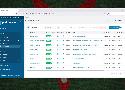
A basic Docker installation is fine and all, but these four tools can elevate its functionality to the next level

Switch from TeamViewer, AnyDesk, and Splashtop to RustDesk for a secure and reliable remote desktop experience with your own self-hosted servers.
IT-Tools is an underrated toolkit that you can deploy on your self-hosting server

Make the most of your Proxmox server with these useful settings

Home lab projects often involve reusing dedicated server hardware or old PCs into experimentation rigs. While these options look tempting at first glance, you’ll have to contend with increased power consumption and large footprints of the full-sized systems.
If you want to monitor your servers, Zabbix is by far one of the best.

My free and secure solution to sync files between Windows and Linux.

You don't need expensive equipment to monitor your home network. All you need is a Raspberry Pi and a little time to set it up.