41 private links
Choosing the right web server can make or break your website’s performance. With so many options available Apache, NGINX, LiteSpeed, OpenLiteSpeed, Caddy, and Lighttpd how do you know which one is the fastest, most efficient, and best suited for your needs?
To find out, we conducted a comprehensive benchmark, testing these six popular web servers under different conditions, including static file handling, high concurrency, large file downloads, and sustained traffic simulations. Our goal? To identify the best-performing server in terms of speed, resource usage, and reliability.


Tor is free software that allows a user to have complete anonymity online. It can be used to avoid having websites and applications track your location or attempt to identify you. It does this by routing your network data through a pool of servers around the world, while also stripping identifying information from packet headers.
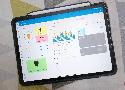
I create a polished and efficient dashboard in Home Assistant with these custom cards that are easy to install and use.

However, I don't always have the latest updated version of the installation ISOs, and I'm unable to create a copy of a bare-metal installation in the same way. And after wearing out one too many USB drives through repeated reflashing of different operating systems, it's time for a better way for my home lab.
The solution is rather elegant, involving the setup of a Preboot Execution Environment (PXE) server that stores the ISO files, allowing my client devices to boot from them over the network. I've been playing around with three different variations on how this can be handled, and I'm keeping two of them, because having easy access to bootable media is invaluable.

These Pi-hole tweaks are worth the effort.

After using Proxmox on my primary server, I decided the second system would be Ubuntu on bare metal.

My essential self-hosted toolkit
Kiosks are designed to offer users specific information or a specific experience, while preventing access to any other activities on the device. They are often found in airports, shops, hospitals, cafes, and museums — any location where people need easy access to information or services like timetables, waiting times, product information, directions, self check-in machines, and so on. Kiosk mode on your Raspberry Pi allows you to boot straight into a full‑screen web page or an application without using the desktop environment. It’s the foundation for many different projects where you want to display information for a dedicated interaction with a user. To demonstrate kiosk mode we are going to set up our Raspberry Pi to boot automatically to a full‑screen raspberrypi.com web page, which will rotate with the time.is/London web page.
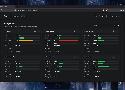
Beszel has become my go-to utility for monitoring the server rigs, SBCs, NAS units, and mini-PCs in my home lab

Yes! You can set up your own Linux server. Here's how!
When Microsoft slipped the first public preview of the Windows Subsystem for Linux (WSL) into the Windows 10 Anniversary Update in August 2016, it mostly appeared to be a niche convenience aimed at developers who missed Bash and a Linux terminal. Few outside the Insider community guessed it would grow into a fully fledged, GPU-accelerated, GUI-capable Linux environment, maintained and delivered by Windows Updates and the Microsoft Store. Yet, nearly a decade later, WSL has grown and flourished into something more, and is arguably one of the biggest features added to Windows in a long time.

Despite their perks, you might want to put these distros on the back burner until you're a Linux expert
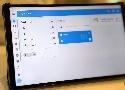
These Home Assistant add-ons are genuinely fantastic, and convinced me to switch to HAOS in the first place.
Linux has come a long way, so here are some things that may astound you as a Windows fan.

If you're a self-host enthusiast and you're weighing up Docker versus Podman, I strongly recommend Podman.

If you want to monitor your NAS in a fun and interesting way, these are some of the best open-source dashboards to do just that.

I use Dockge to manage all my Docker containers, and I won't look back (except in some instances).
Even if it's complicated, it's worth it.

Sometimes, I forget I even have Home Assistant running because it's so reliable now.
Surely by now you’ve at least heard of RTL-SDR — a software project that let’s cheap TV tuner dongles work as a software-defined radios. A number of projects and tools have spun o…