41 private links

No need to visit the website; just pop open a terminal and start learning a new language.


The Mobian team releases Trixie, a Debian-based mobile OS update featuring PipeWire, Linux kernel 6.12, and new signing keys.
Beneath the surface of a familiar name lies a transformative technology. Prepare to have your assumptions about home labs challenged.

The Raspberry Pi might sound like dessert, but it's actually a credit card–sized computer changing the world of DIY tech. First launched in 2012 by the Raspberry Pi Foundation, it was designed to make computing affordable and accessible for everyone. Since then, it's evolved into one of the most versatile tools in modern technology, powering everything from classroom lessons to smart home automation. For as little as $50, you get a device that consumes less than 27 watts of power, making it remarkably cost-efficient compared to full-size computers.
Windows Subsystem for Linux, or WSL, has been an incredibly welcome addition to Windows for those who enjoy developing and tinkering with Linux distributions. The lightweight, easy-to-setup nature of these instances is perfect for anyone looking to run Linux tools without needing to leave their primary OS. Once I started to use non-native packages and stepped outside of basic command-line tasks, I began to miss what a full virtual machine had to offer. A little while ago, I decided to make the switch back to Linux VMs, and I haven't looked back since.
Five settings, a couple of minutes, and zero more dual-boot headaches

Xrdp is an open-source implementation of the Microsoft Remote Desktop Protocol (RDP) that allows you to graphically control a remote system. With RDP, you can log in to the remote machine and create a real desktop session the same as if you had logged in to a local machine.
Wake-on-LAN is a feature that allows you to turn on your computer from another device over the network. It does this by sending a data packet. The receiving computer's network driver processes this data packet and wakes the computer.
This is a step by step guide shows how to enable Wake-on-LAN feature in Ubuntu, so you can wake it up from suspend, hibernation, or shutdown state remotely using another computer or mobile phone.
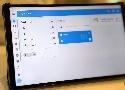
Out of all the apps and services that I self-host, none comes close to the utility of Home Assistant. It's not just that it lets me have fewer apps on my phone; all I need is the HA one, but that's a bonus. I've figured out some of the snags I had to begin with, and migrated it off the container I originally set it up in so that I could use the entire feature set of HA's operating system.
This is a step by step beginner’s guide shows how to encrypt your home directory in Ubuntu 24.04 LTS.
As you may know, the new installer in Ubuntu 24.04 only supports encrypting the entire disk. If you want to dual boot Ubuntu with another OS in single disk, there’s no option so far to encrypt only the Ubuntu file-system partition.
Coding directly on my Raspberry Pi is not the greatest. The lag, tiny screen, and weird keyboard make even small projects more complicated than they need to be. To solve this problem, I began exploring options to code from my main computer instead. After trying everything, I found a few methods that work, and I’ll walk you through them.

Her kan du købe Raspberry Pi boards. Vi bestræber os på at have samtlige modeller tilgængelige til gode priser. Køb Raspberry Pi her i den danske webshop for at undgå lange og dyre leveringer. Alle tilgængelig Raspberry Pi boards findes i denne kategori.
Describe your feature request Huawei also also offers a smart charger (FusionSolar with 7kw or 22kw) and it wouold be fantastic to integrte it as well Proper usage I confirm that this is not a bug report or support request I confirm that...

Moving from Windows to Linux isn't as hard as you might initially think, but you'd be forgiven for having some worries. Switching to a totally different desktop environment is hard, especially when some of the apps you're used to may not be available.
Introducing MeshCore
I could easily see myself defaulting to Securonis when I need serious security.

There are really quite a few features that I like in Ubuntu.
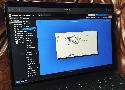
ProxMenux is hands-down the best companion for my Proxmox workstation
If you’ve spent any time managing Linux systems, you already know how repetitive and time-consuming some tasks can be. Whether it’s checking disk space, restarting failed services, or keeping your system updated, doing everything manually quickly becomes a headache, especially if you’re handling more than one server.
Bash scripts are like tiny assistants that help you automate common tasks, reduce human error, and save valuable time. Instead of running the same commands over and over again, you can let your scripts handle it – reliably and consistently.
Over the years, many system administrators have created and refined scripts to monitor systems, automate maintenance, and respond to issues before they become serious problems.
In this article, you’ll discover five simple but powerful Bash scripts that are useful in everyday Linux system administration. These scripts are beginner-friendly and easy to modify for your own environment.