41 private links
Modern tools can make the Linux terminal prettier, faster, and smarter.

This tutorial will show you how to quickly create a RAM disk in any Linux distro (Debian, Ubuntu, Linux, Fedora, Arch Linux, CentOS, etc). Compared to commercial Windows RAM disk software that costs money, Linux can utilize this cool feature 100% free of charge.
Turn your Android phone into a powerful control panel for your Linux PC.
Anything can be immutable with a simple trick
Manage Docker containers faster with a visual terminal UI.
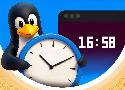
Don't want to look away from the terminal to check the time? Use these methods to add a live clock to your terminal!

Tired of Nano's confusing keyboard shortcuts? Let's modernize your terminal text editor.

Starting your first homelab? Not all operating systems are equal.
Take control of your network without leaving the Linux terminal.
Secure remote access control with minimal setup
Zabbix is an open source monitoring platform designed to track the availability, performance, and integrity of IT environments. It monitors networks along
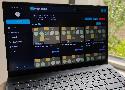
A new tool in my mission to stay organized
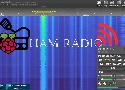
With a Raspberry Pi and hardware like an RTL-SDR or HackRF, you can receive signals, track aircraft and ships, decode transmissions, and even transmit with proper hardware and licensing.
Stop guessing what's on their screen
Prometheus is an open-source monitoring and alerting system built for environments where services change often and failures can spread fast. For security
Discover free security software that helps teams monitor systems, find vulnerabilities, secure identities, and manage risk.
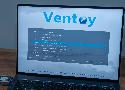
Say goodbye to the hassle of multiple bootable USBs with this ingenious multiple-ISO supporting tool.
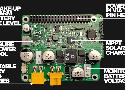
Kickstarter recently featured the PV PI, a solar charging HAT designed to power Raspberry Pi and other 5V single board computers from a 12V LiFePO4 battery. The add-on enables continuous 24/7 off-grid operation through MPPT-based solar charging and intelligent power management. Developed by Melbourne-based engineer Luke Ditria and his team at AutoEcology, the PV PI […]
NetworkChuck makes his entire team switch to a single Linux terminal server using ThinLinc! Watch as Chuck's employees remote into the centralized server, transforming their workflow and showcasing the power of Linux. Alongside Chuck, Alex guides you through installing ThinLinc on both client and server sides. See the team in action as Mike creates a Blender model and Florida Nick edits it, all on the terminal server. Whether you're a Linux enthusiast or curious about remote desktop solutions, discover the power of ThinLinc!
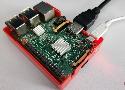
Break free from reliance on the cloud and build digital independence.